Back to Blog
ai
review-replies
small-business
comparison
2026
tools

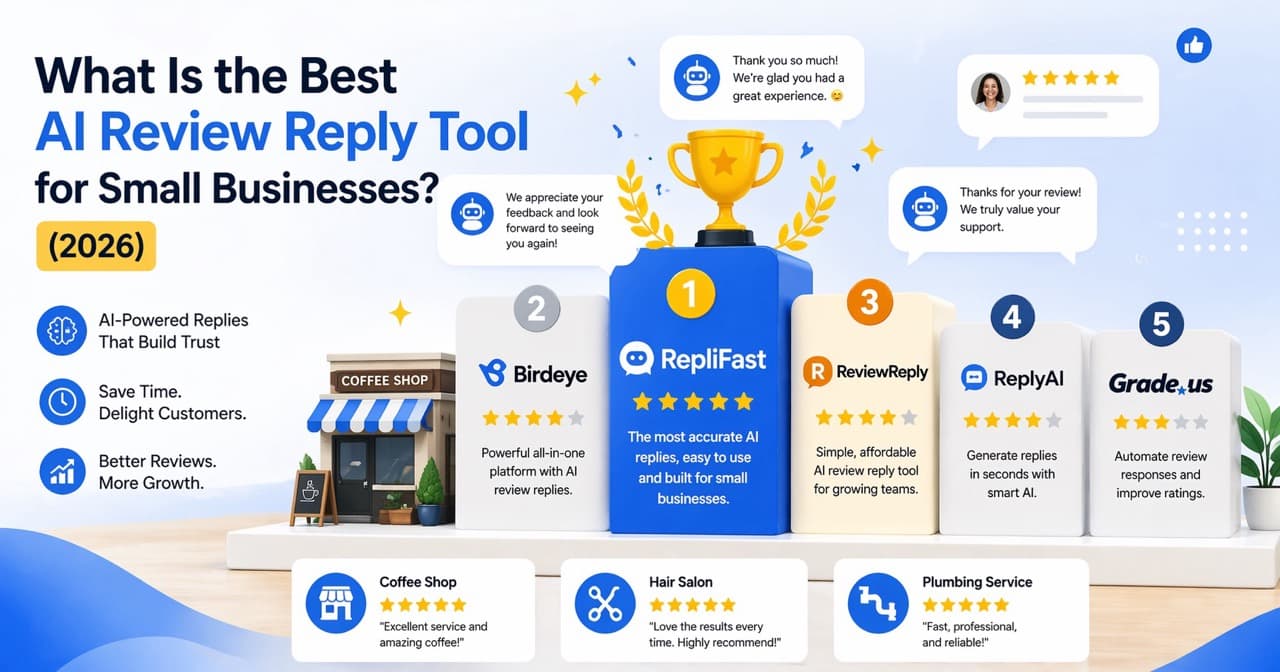
What Is the Best AI Review Reply Tool for Small Businesses? (2026)

For a small business that mainly needs its Google reviews answered, RepliFast is the best value. How it compares with Reply Champion, HiFiveStar, Birdeye and Podium on price, approval controls and automation, checked November 2026.

What Is the Best AI Review Reply Tool for Small Businesses? (2026)

Quick answer

For a small business that mainly needs its Google reviews answered, RepliFast is the best value, from $12 a month billed annually ($15 monthly). It drafts a reply to every Google review in your own voice, and on Pro ($29 a month), with the default rule, replies to 4 and 5 star reviews post on their own while 1 to 3 star reviews wait for you. I built RepliFast, so weigh that, and check the alternatives below: Reply Champion ($10 a month) is the cheapest if you also want review requests, and Birdeye or Podium only make sense if you also need texting, payments or listings, at a reported $299 and a listed $399 a month.

By Kevin Hofmann, Founder of RepliFast. Updated November 2026.

Prices checked November 2026. I build one of the products in this comparison, so the ranking uses criteria you can inspect: public price, control over posting, low-rating safeguards, platform scope, and the amount of unrelated software bundled with the review workflow. Every price links to the vendor's own pricing page. For what 20 review reply tools cost at 1, 3 and 10 locations, see the review reply software pricing index.

The shortlist is RepliFast, Reply Champion, HiFiveStar, Birdeye, and Podium. The first three publish an entry price under $30. Podium lists Core from $399 per month, and Birdeye quotes each buyer, but both remain useful reference points for businesses that need more than reply automation.

How should a small business evaluate AI review reply tools?

Evaluate the tool against the job, not the length of its feature list. These are the criteria that change the day-to-day workflow:

  • Posting control: Can you approve every reply, automate selected ratings, or mix both approaches?
  • Low-rating safeguards: Can critical reviews wait for a person instead of posting automatically?
  • Specificity: Does the draft use details from the review without inventing facts, offers, names, or policies?
  • Voice controls: Can you set tone, signature, and business rules?
  • Coverage: Does it work with the review sites and locations you actually manage?
  • Price clarity: Is the published price tied to annual billing, response caps, or location limits?

Do not score a tool by how polished one sample reply looks. Test awkward cases, including a rating with no text, a mixed review, a complaint with private details, and a review that asks for something your business cannot promise.

What are the five AI review reply tools compared?

The table gives the buying facts first.

RankToolPublic priceReply workflowBest fit by stated scope
1RepliFast$12 per month billed annually, $15 monthly Starter, or $29 monthly ProApproval on Starter; approval or automatic posting by rating on ProSmall businesses focused on Google review replies
2Reply Champion$10 per monthAI replies with approval controlsGoogle-first businesses that also want requests and a widget
3HiFiveStar$28 per month billed annuallyReview replies and AI reply drafts you post yourselfOne location that also needs campaigns and widgets
4BirdeyeQuote based, reported from $299 per location monthly on annual termsApproval-first or autonomous response workflowsMulti-location brands managing many review sites
5PodiumCore from $399 per monthReviews inside a broader lead and communications platformBusinesses also buying phones, inbox, payments, and messaging

1. When does RepliFast fit a small business?

RepliFast fits when Google review replies are the specific job to delegate. The Starter plan costs $12 per month billed annually or $15 monthly, covers up to 200 AI replies each month, syncs review history, and keeps every reply in an approval queue. Owners can set tone, signature, and house rules.

The Pro plan costs $29 monthly and adds unlimited AI replies, automatic posting within minutes, star-rating rules, and weekly insights. A practical setup is to post positive ratings automatically while holding lower ratings for review. RepliFast does not try to replace payments, phones, social media, or a customer relationship manager.

2. When does Reply Champion fit a small business?

Reply Champion fits a Google-first business that also wants review requests and website proof. Its Small Business plan costs $10 per month for one to two locations and includes personalized AI responses, approval controls, request campaigns, a Google reviews widget, notifications, and dashboard analytics.

Its narrow Google scope keeps the buying decision simple. A business that relies heavily on Yelp, Tripadvisor, or an industry review site should confirm that a Google-only workflow covers enough of the inbox.

3. When does HiFiveStar fit a small business?

HiFiveStar fits an owner who wants review collection and responses in the same product. Its Core plan is $28 per month billed annually for one location and includes monitoring, replies, AI reply drafts you edit and post yourself, SMS and email campaigns, widgets, and analytics.

The combination is broader than reply-only software while staying below many reputation suites. The $28 entry price requires annual billing ($39 on monthly billing), and the higher Pro tier is $99 per month, or $85 billed annually, so check which reply controls are included before choosing on price alone.

4. When does Birdeye fit a small business?

Birdeye fits a growing or multi-location business that needs a central reputation platform. Its review management page describes monitoring across more than 200 review sites, alerts, sentiment summaries, brand voice controls, and automated or approval-based responses. Its response agent can use different workflows for different ratings and locations.

Birdeye's official pricing page does not publish a standard dollar price as of November 2026. Buyers submit location and product requirements for a quote. Independent pricing trackers report Starter at about $299 per location per month on a 12-month contract. That sales process may be reasonable for a complex rollout, but it is harder for a single location to compare quickly.

5. When does Podium fit a small business?

Podium fits when review management is part of a larger lead and communications purchase. Its official pricing page places reviews beside phones, a shared inbox, payments, lead consolidation, text marketing, and automations, with its AI employee available as an add-on.

The same page lists Core from $399 per month and Pro from $599 per month, with Signature and HVAC pricing quoted by sales. A small business should request the complete quote, contract term, included locations, and AI charges, then compare that total with the separate tools it would replace.

Reply to every Google review without lifting a finger

14-day Pro trial. No credit card.

Which tool should you choose?

Choose the smallest product that safely covers the workflow. The following decision rules are more useful than a universal quality score:

  • Choose RepliFast when the job is Google review reply drafting and posting, with a choice between approval and rating-based automation.
  • Choose Reply Champion when you want a low-cost Google workflow that also includes requests and a website widget.
  • Choose HiFiveStar when campaigns, monitoring, widgets, and AI reply drafts should live together for one location.
  • Choose Birdeye when many locations or many review sources require shared governance and reporting.
  • Choose Podium when phones, payments, messaging, and lead handling are part of the same purchase.

If you receive only a handful of reviews, you may not need software. Google lets a verified business reply directly from its profile. A saved framework and the free review reply generator can cover occasional replies without a subscription.

How should you test an AI review reply tool?

Run the same small set of difficult reviews through every trial and inspect the workflow as closely as the words. Check whether the tool invents compensation, repeats private details, ignores mixed sentiment, or treats a serious complaint like a routine thank-you.

  1. Set the business voice and any words the reply must avoid.
  2. Use a positive review with one specific detail.
  3. Use a mixed review that praises one part and criticizes another.
  4. Use a low rating with no text.
  5. Use a complaint that should be moved to a private channel.
  6. Confirm exactly who can edit, approve, and post the final reply.

For the broader operating model, read how to automate Google review responses. For critical feedback, use the process in how to respond to negative Google reviews.

Tools that do this for you

RepliFast is the tool I build for owners who want the Google review inbox handled without buying a broader reputation suite. It drafts each reply in the business voice, and the owner can approve it or use star-rating rules on Pro. It is Approved for the Google Business Profile API, and the trial does not require a credit card. Catch up on your review replies.

Frequently Asked Questions

Can an AI review reply tool post automatically?

Some can, but the controls differ. RepliFast Pro can post under star-rating rules, HiFiveStar drafts replies for you to post, and Birdeye documents autonomous and approval-first workflows.

Should negative review replies be automated?

Critical reviews should normally wait for a person. They can involve refunds, safety, privacy, or facts the AI cannot verify, so a draft is safer than an automatic public promise.

Do AI review replies improve Google ranking?

Google has not said that owner replies are a ranking factor. Its local ranking guidance says more reviews and positive ratings can help local ranking, while helpful replies can help a business stand out. Choose automation for response coverage and customer trust, not a promised ranking lift.

Will customers notice generic AI replies?

They may notice repeated or generic wording. BrightLocal's 2026 consumer survey found that generic or templated responses put off 50 percent of consumers, which is why the final reply should use relevant details and vary naturally.

Can you switch tools without losing reviews?

Yes. Published Google reviews remain on the Google Business Profile rather than inside the reply tool. Export any templates or reports you need before canceling, then confirm the new connection before removing the old one.

Stop hand-writing every Google review reply

14-day Pro trial. No credit card.

Kevin Hofmann, Founder, RepliFast

Written by

Kevin Hofmann

Founder, RepliFast

Kevin built RepliFast after spending years helping small businesses automate Google review responses. He writes about review management, local SEO, and the policies that actually move Google rankings.

Automate replies to every Google review

Connect your Google Business Profile and let AI draft on-brand replies in your voice.

Start free trial

14-day trial. No card.

Latest Articles

R
Reputation Management
Oct 04, 2026

Review Bombing on Google: How to Report and Respond

What to do when a wave of 1-star Google reviews arrives from people who were never customers: document it, report it under the right policy, reply briefly, and avoid the moves that backfire.

review bombing
fake reviews
negative reviews
K

Kevin Hofmann

13 min
H
Guides
Jun 27, 2026

How to Check Your Google Maps Ranking (Free)

There is no single button for your Google Maps ranking, because rank shifts with how close the searcher is. Here are the four free ways to check where you stand, what actually decides your position, and how to fix the signals you control.

google maps ranking
google maps seo
local seo
K

Kevin Hofmann

9 min
H
Guides
Jun 27, 2026

How to Catch Up on Unanswered Google Reviews

Clearing a backlog of unanswered Google reviews is a process, not a marathon of inspiration. Here is the three-pass method (triage, draft, approve), an honest answer on how far back to go, and where a tool genuinely helps.

google reviews
review management
unanswered reviews
K

Kevin Hofmann

8 min
G
Guides
Jun 27, 2026

Google Business Profile Posts: Examples and Ideas

What to post on your Google Business Profile, with a gallery of real examples by post type and business type, an honest answer on how often to post, and where posts fit into local ranking.

google business profile
google posts
local seo
K

Kevin Hofmann

7 min
G
Guides
Jun 27, 2026

Google Business Profile Optimization: The 2026 Checklist

The complete 2026 Google Business Profile optimization checklist: categories, services, photos, posts, reviews, and an honest read on what actually moves local ranking.

google business profile
gbp optimization
local seo
K

Kevin Hofmann

7 min
A
Guides
May 29, 2026

AI Review Reply Autopilot vs Approval: Which Do You Need?

Approval-first or autopilot for your AI review replies? One waits for a human to check every word, the other posts within minutes. Here is how to decide which your business actually needs, and how to blend both with star-rating rules.

AI review replies
Google Business Profile
review management
K

Kevin Hofmann

9 min